

Video Tutorial
Watch the full walkthrough on setting up and using Onchain Skills to build Web3 apps with AI:Prerequisites
- Node.js installed on your machine
- A Moralis API key — get one at admin.moralis.com
- An AI agent that supports the Agent Skills standard (e.g., Claude Code, Cursor, Windsurf, GitHub Copilot, Cline, Codex, Gemini)
Step 1: Install Onchain Skills
Run the following command in your project directory: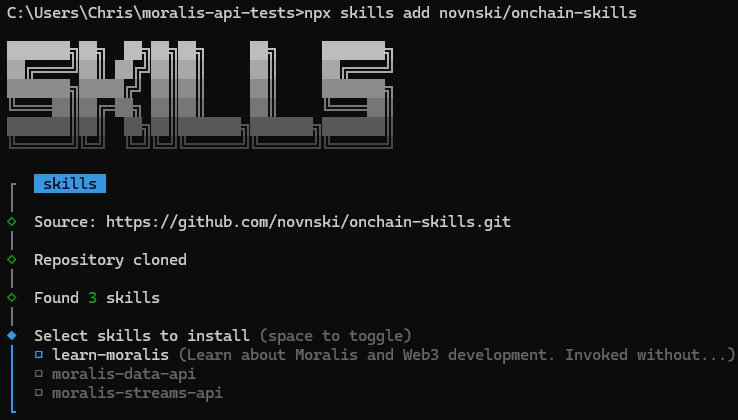
- moralis-data-api — query blockchain data (136 endpoints)
- moralis-streams-api — real-time event monitoring (20 endpoints)
- learn-moralis — general Moralis knowledge and routing
Alternative Installation Methods
Via ClawHub:Step 2: Configure Your API Key
Add your Moralis API key to a.env file in your project root:
your_key_here with your actual API key from admin.moralis.com.
Without the API key, the skills cannot call the Moralis API on your behalf.
env section in ~/.openclaw/openclaw.json instead:
Step 3: Start Using Skills
Once installed and configured, you can prompt your AI agent with skill-specific commands. Prefix your prompt with the skill name to load it directly.Query Blockchain Data
Monitor Real-Time Events
Ask General Questions
What’s Next?
- Explore the full list of available endpoints in the Onchain Skills Overview
- Browse the EVM API and Solana API documentation for detailed endpoint references
- Check out the GitHub repository for source code and contributions